A minimal note-taking app

A notes app designed by writers, for writers.

In20xx Notes is for people who write a lot of notes and want total control over where those notes are kept. Organize notes with limitless notebooks, note nesting, and titled note blocks within notes. Your notes will never be held hostage. You choose what folder to save them in. Easy import and export. This no-bloat app takes milliseconds to start.

Format
Text
Structure
Folders, nested
Storage
Yours
Size
11 MB
Scroll
01 — Position
Unlike other note apps, In20xx Notes is not: a task manager, a scheduler, a team organizer, an email client, a website publisher, a photo album, or a wrapper for AI. It won’t ask you to log in, won’t give you plan limits, and won’t run slow.
02 — What it does

Main Features

03 — Appearance

Six views, one window.

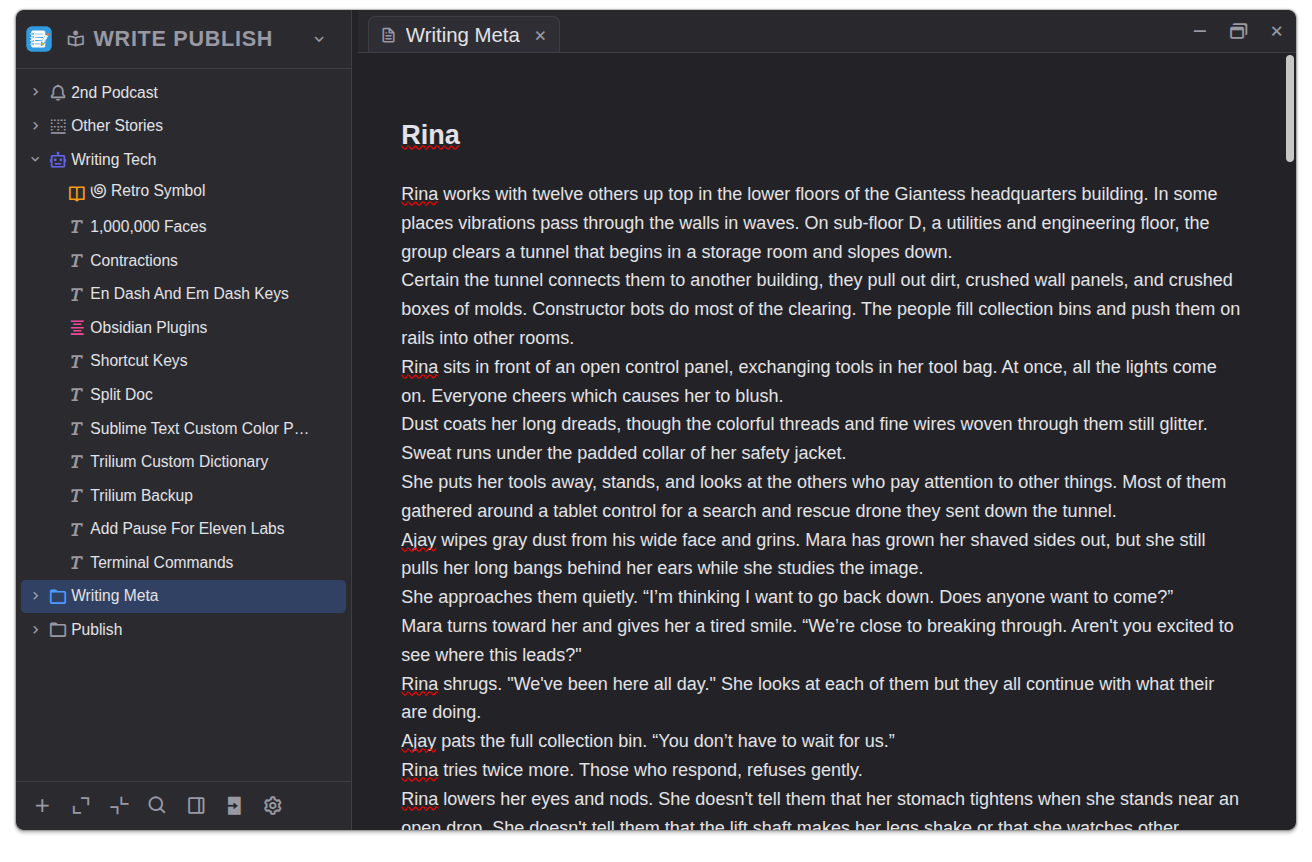
In20xx Notes writing view with folder tree on the left and the editor in the main pane
View 01

The writing view.

Your tree on the left. Your text in the middle. A focused editor with the side tools tucked away until you need them. One window, one purpose: keep the writing at the centre of the screen.

Tree · left Editor · center Workspace · clean
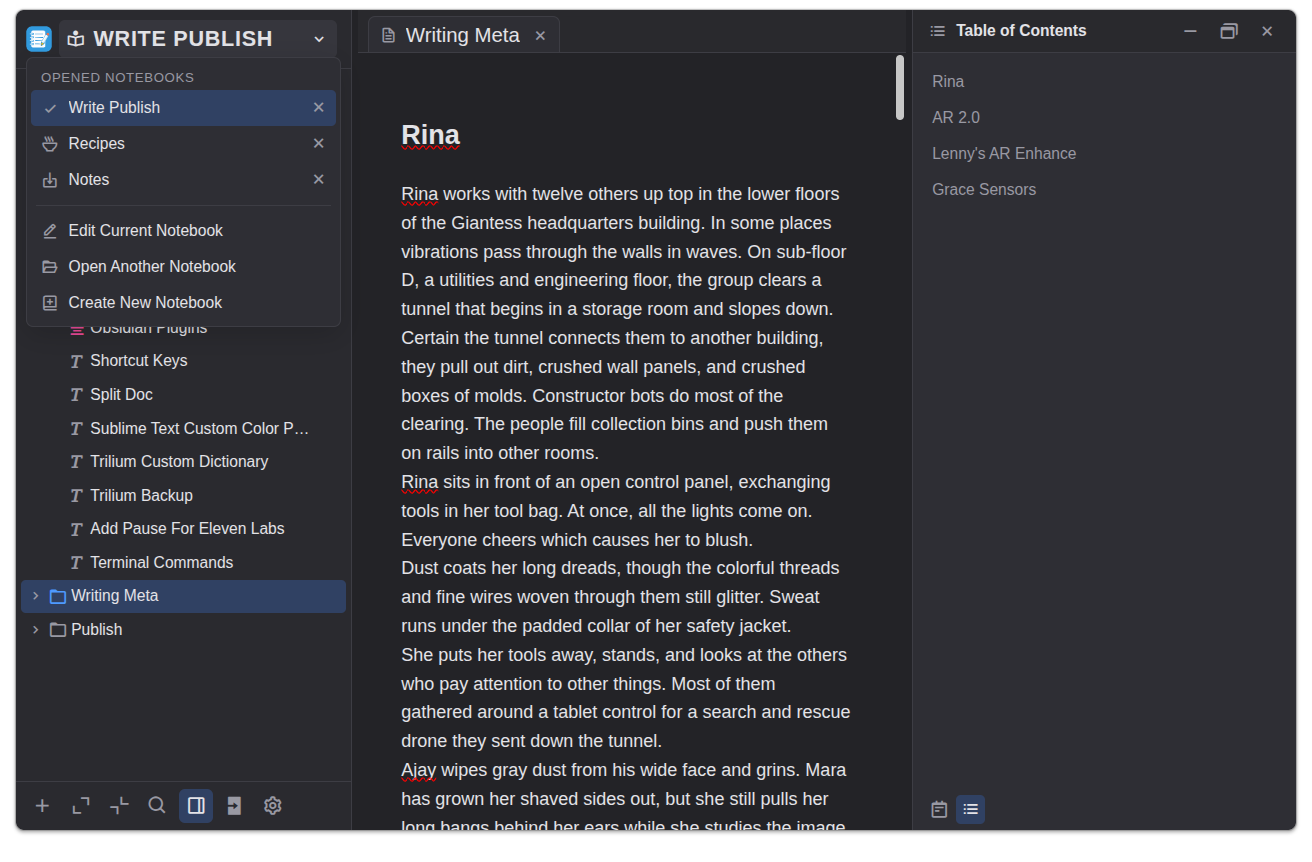
In20xx Notes with the notebook menu open and a table of contents panel on the right
View 02

Structure without leaving the page.

Switch between notebooks from the left menu and keep a table of contents open on the right. The document stays in the middle, while navigation remains close enough to use without breaking focus.

Notebooks · left Editor · center Contents · right
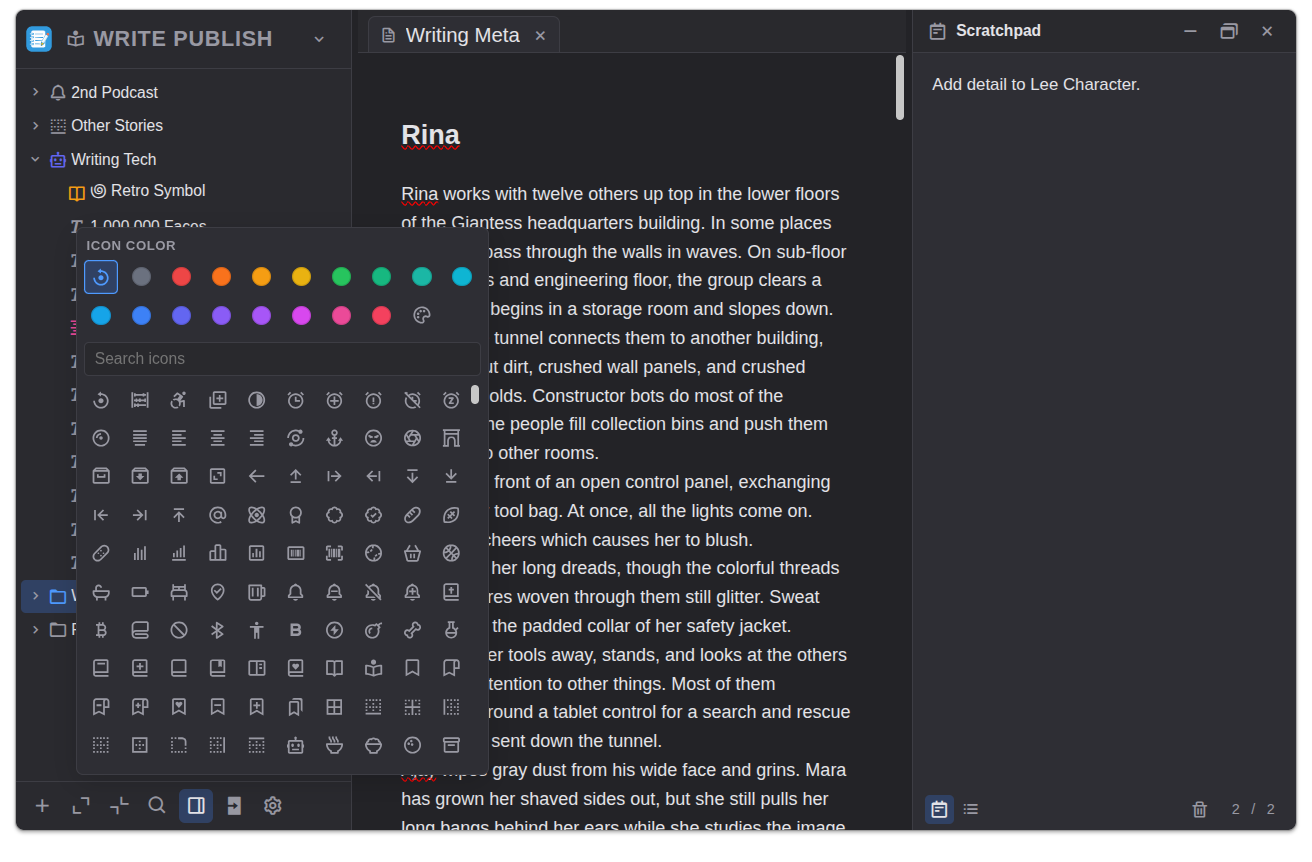
In20xx Notes with the scratchpad panel open and a folder icon and color picker displayed
View 03

The scratch pad, always open.

A panel that doesn't close. Jot the half-thought, the phone number, the sentence you'll use later. Mark folders with a color and an icon if that helps you find them — or don't, and let the names do the work.

Scratchpad · right Marks · optional Always on
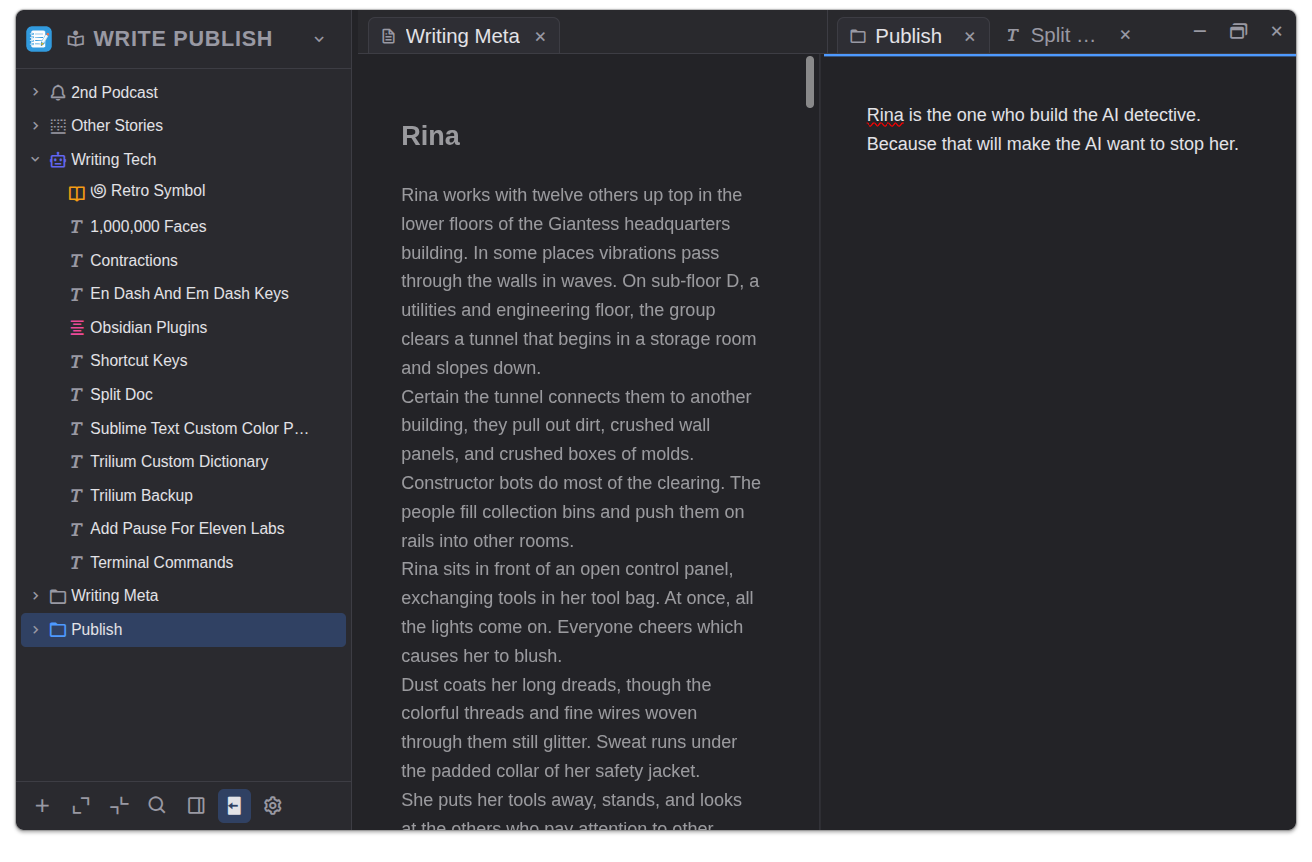
In20xx Notes with two notes open side by side, one dimmed writing note and one active publish note
View 04

Two notes in the same workspace.

Keep a draft open while another note stays active beside it. Pull from source material, compare phrasing, or keep a publishing checklist visible without splitting the app into separate windows.

Draft · left Reference · right Tabs · top
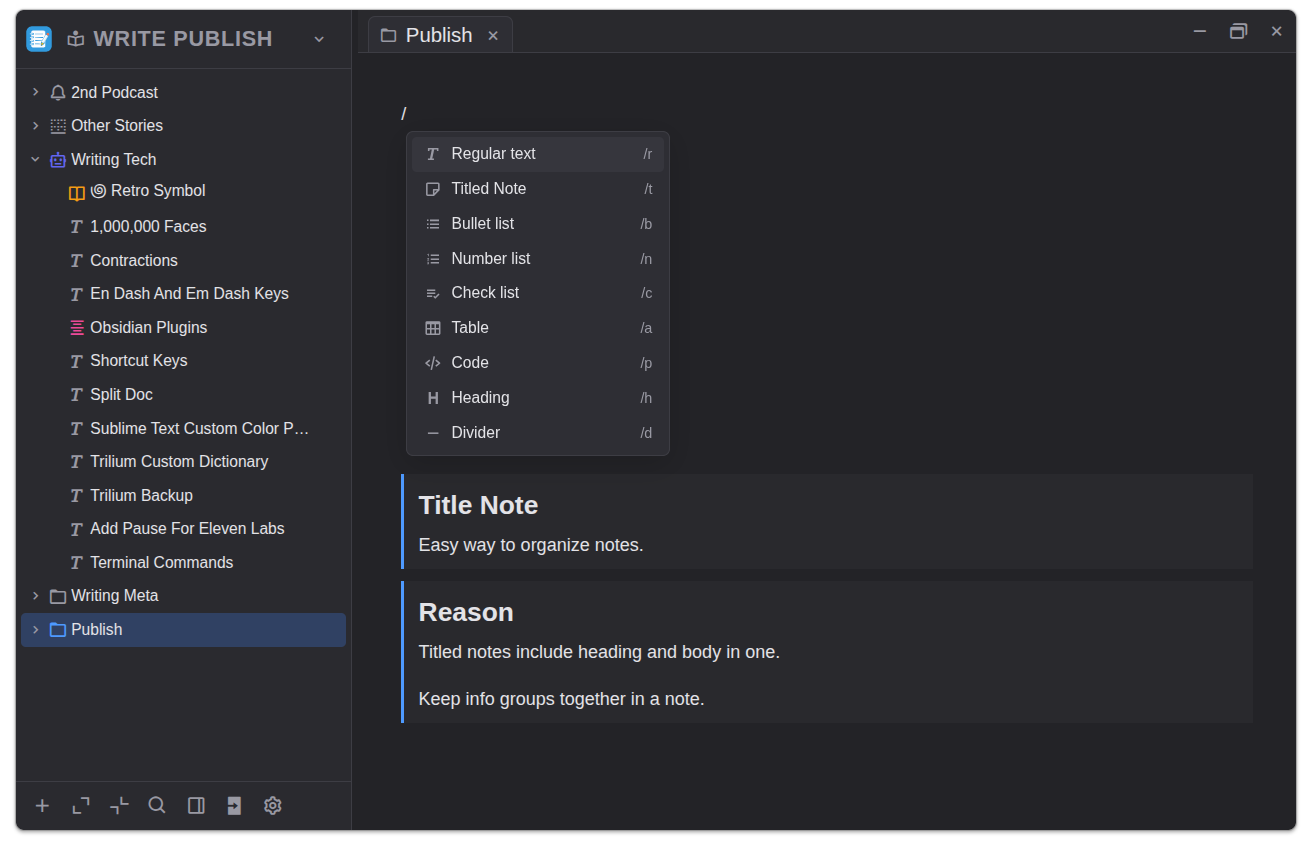
In20xx Notes publish note showing the slash command menu and titled note blocks
View 05

Block tools when you need them.

Type a slash to bring up common blocks: regular text, titled notes, lists, tables, code, headings, and dividers. The editor stays plain until you ask it to become structured.
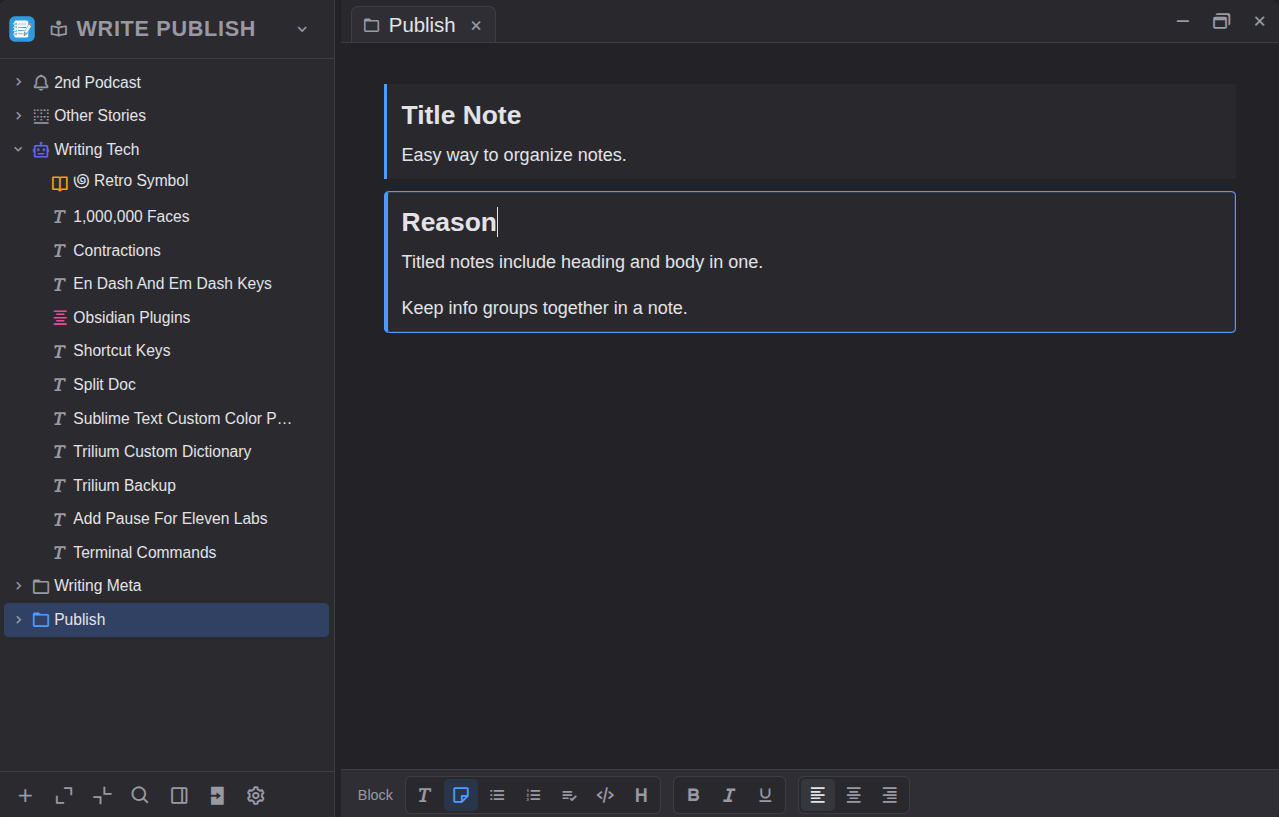
Slash menu · inline Blocks · fast Notes · grouped
In20xx Notes publish note with a selected titled note block and formatting toolbar at the bottom
View 06

Edit the block, not the chrome.

When a block is active, the controls move to the edge of the workspace. Formatting, alignment, lists, and block type changes stay available without crowding the page.

Selection · clear Toolbar · bottom Editing · focused
"I wanted somewhere to put words without the software performing the act of putting words somewhere. In20xx Notes is the closest I've come."
M. Voss Novelist · 14 years of notes

Get In20xx Notes. It's free.

Checking GitHub for the latest release… No installer telemetry, no account required. Pick your platform and the file lands directly.

01 — For
Windows
Windows 10 or later · 64-bit installer
02 — For
macOS
macOS 12 Monterey or later · Intel or Apple silicon
03 — For
Linux
64-bit · AppImage, Debian/Ubuntu, or Fedora/RHEL
No account In20xx Notes never asks you to sign in. There is nothing to sign in to.
No telemetry The app does not phone home. Nothing about your writing leaves your machine.
Open source Source available under the MIT licence. Build it yourself, if you prefer.